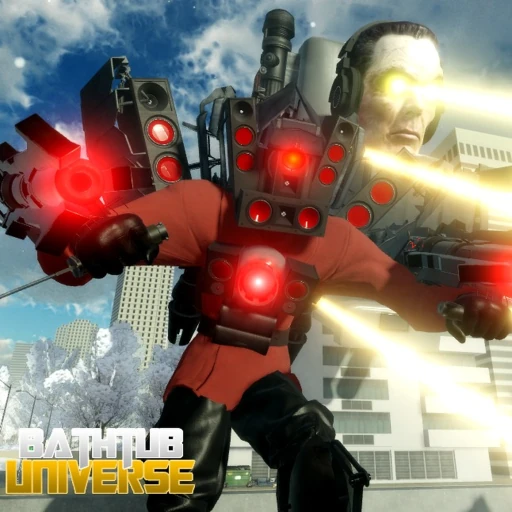
Bathtub Universe Controls
Controls Overview
Mastering Bathtub Universe controls is essential for competing in this fast-paced FFA Skibidi Toilet Roblox game. Whether you play on PC or mobile, understanding every keybind and touch input lets you execute morph abilities, dodge attacks, and switch characters mid-fight without hesitation. Old Game Federations designed the control scheme to be accessible for new players while offering depth for competitive combat.
This hub covers both platforms. PC players benefit from precise keyboard and mouse inputs for combo attacks and ability timing. Mobile players use a virtual joystick and on-screen buttons optimized for touchscreens. Select your platform below for detailed breakdowns.
PC Controls Summary
PC is the preferred platform for competitive Bathtub Universe play. The full PC controls guide documents every keybind, but here are the essentials:
- WASD — Movement in all directions
- Left Click — Primary attack combo
- Right Click / E — Special ability (varies by morph)
- Q — Secondary ability or block
- F — Toggle flight (Flying Sawblade Bathtub and select morphs)
- Space — Jump
- Shift — Sprint or dash (morph-dependent)
- Tab / M — Open morph selection menu
- 1-9 — Quick-select owned morphs
High-tier morphs like G-Man Phase 4 and Chief Scientist Mech have multi-stage abilities that require precise timing. Practice keybinds in low-traffic map corners before entering main combat zones.
Mobile Controls Summary
Mobile controls adapt the PC scheme to touch inputs. The mobile controls guide provides full details, but the core layout includes:
- Virtual Joystick (left side) — Character movement
- Attack Button (right side) — Primary melee or ranged attack
- Ability Buttons — Special moves mapped to on-screen icons
- Jump Button — Vertical movement and dodge
- Morph Menu — Access character selection overlay
- Flight Toggle — Appears when using flight-capable morphs
Mobile players face tighter ability windows due to touch latency. Choose morphs with simpler ability kits from our budget tier list until you are comfortable with the touch layout.
Controls and Combat Strategy
Controls directly impact your effectiveness with different morphs. Ranged morphs like G-Man Phase 4 require aiming special abilities at distance — easier on PC with mouse precision. Melee morphs like Plunger Cameraguy benefit from circle-strafing with WASD while clicking rapidly.
After Update 16, several morph abilities were rebalanced with adjusted cooldowns. Relearn ability timing if you returning after a break. The beat stronger players guide combines control mastery with positioning tactics.
Redeem codes like For Plunger and Apologize on our codes page to unlock morphs that match your preferred control style — tanky Bathtubs for players who hold ground, agile Toilets for mobile dodge-heavy play.
Related Guides
Frequently Asked Questions
Can I change keybinds in Bathtub Universe?
Bathtub Universe uses fixed default keybinds. Roblox does not currently support custom keybind remapping for this game. Practice the default layout for consistency.
What key toggles flight?
Press F to toggle flight on morphs that support it, including the Flying Sawblade Skibidi Bathtub from the 1K LIKES code.
Is PC or mobile better for Bathtub Universe?
PC offers better precision for ranged abilities and faster morph switching. Mobile is fully playable but harder for high-tier competitive morphs.
How do I open the morph menu?
Press Tab or M on PC to open morph selection. On mobile, tap the morph icon on the right side of the screen.
Where is the code redemption button?
The code button is on the left side of the screen (Twitter bird or gift icon), separate from combat controls.