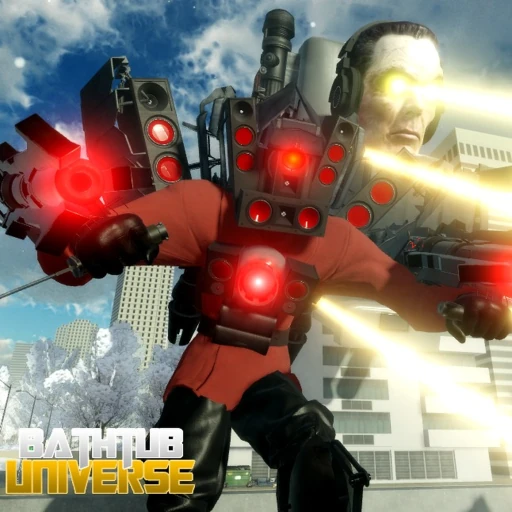
Bathtub Universe PC Controls
Movement and Camera
PC controls in Bathtub Universe center on the standard WASD movement scheme combined with mouse camera control. Hold W to move forward, S to retreat, A and D for strafing left and right. Diagonal movement by holding two keys simultaneously lets you circle-strafe opponents — a critical technique for melee morphs like Cameraguy and Plunger Cameraguy.
Your mouse controls the camera angle. Right-click and drag to rotate your view in third-person perspective. Keep opponents in frame during FFA chaos by making small, frequent camera adjustments rather than wide sweeps. High-tier players maintain awareness of multiple threats by positioning the camera between combat zones on the map.
Press Space to jump over low obstacles and dodge ground-level attacks. Some morph abilities launch you airborne — combine jump with ability activation for advanced movement tech used by top players in post-Update 16 lobbies.
Combat Keybinds
Combat is the core of Bathtub Universe FFA gameplay. Master these attack inputs:
- Left Click — Primary attack. Click rapidly for melee combos or hold for charged attacks on certain morphs.
- Right Click — Alternate attack or aim-down for ranged morphs like G-Man Phase 4.
- E — Special ability. Each morph has a unique E ability — laser beams, sonic blasts, plunger slams, tank cannons, and more.
- Q — Secondary ability, block, or defensive skill. Police Cameraguy uses Q for shield block.
- Shift — Sprint or dash. Glitch Toilet uses Shift for its glitch dash ability.
Ability cooldowns vary by morph and were rebalanced in Update 16. S-tier morphs like Upgraded Titan Cameraman have devastating but slow cooldown abilities — timing E presses during enemy recovery windows wins fights. Practice each morph ability in the how to play guide training areas before ranked grinding.
Morph Management and Utility
Switching morphs mid-combat can turn a losing fight into a Dollar steal. PC players have the fastest morph switching via keyboard shortcuts:
- Tab or M — Open the full morph selection menu showing all owned characters.
- 1 through 9 — Quick-select morphs assigned to hotbar slots.
- F — Toggle flight mode on applicable morphs. The Flying Sawblade Skibidi Bathtub (from the 1K LIKES code) uses F to enable aerial movement and sawblade spin attacks.
Assign your S-tier morphs to low-number hotbar slots for instant access. Keep a budget escape morph on a higher number for fleeing when outmatched — Glitch Toilet's dash on Shift makes an excellent panic button.
The code redemption menu is separate from combat controls. Click the Twitter bird or gift icon on the left side of the screen to redeem codes like Apologize or For Plunger without conflicting keybinds.
Advanced PC Techniques
Competitive Bathtub Universe PC play goes beyond basic keybinds. Advanced techniques include animation canceling (interrupting attack animations with movement), ability buffering (pressing E before the previous ability ends to queue the next), and camera snapping (quick 180-degree turns to hit pursuing enemies).
For Dollar farming efficiency, combine Shift dash movement with rapid Left Click kills in high-density spawn zones documented on our map page. The Dollar farming guide recommends specific morph and control combos for maximum kills per minute.
When facing S-tier opponents, use the tactics from how to beat stronger players — dodge telegraphed E abilities with Space jump and Shift dash, then punish during cooldown windows with your own combo chain.
Related Guides
Frequently Asked Questions
What is the sprint key on PC?
Hold Shift to sprint or activate dash abilities. The exact behavior depends on your current morph — Glitch Toilet treats Shift as a teleport dash.
How do I use G-Man Phase 4 laser on PC?
Press E to activate the laser beam special ability. Aim with your mouse cursor at the target before pressing E for maximum accuracy.
Can I use a controller on PC?
Roblox supports controllers on PC, but Bathtub Universe is optimized for keyboard and mouse. Controller inputs may not map cleanly to all morph abilities.
What does F do for non-flying morphs?
F only functions on morphs with flight capability. On ground-only morphs, pressing F has no effect.
How do I quickly switch morphs during combat?
Use number keys 1-9 for hotbar morphs or press Tab to open the full selection menu. Pre-assign your best morphs to slots 1-3.